Tool 01 · $4.95
Get it for $4.95
Tag every Stripe payment with the ad that sent it.
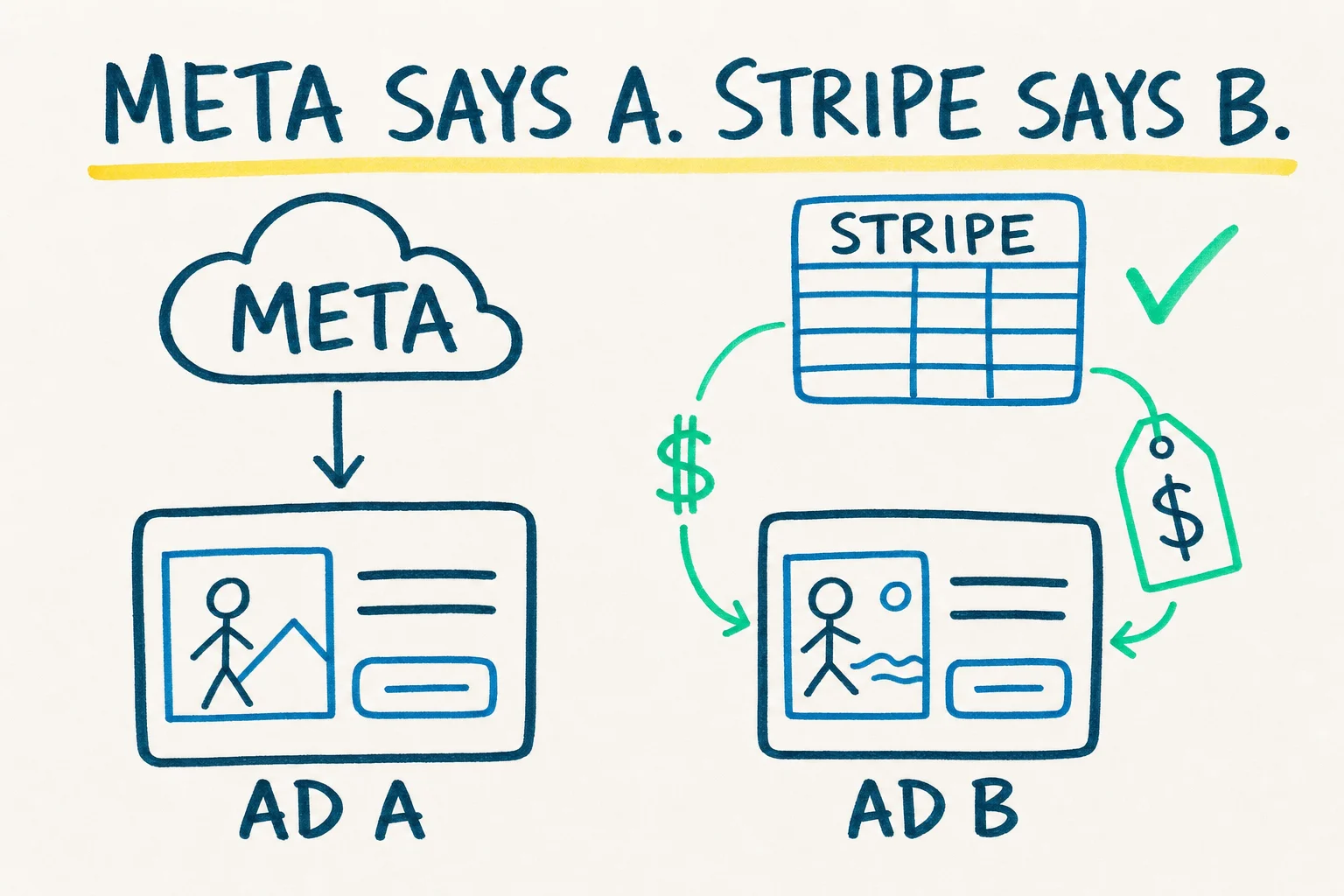
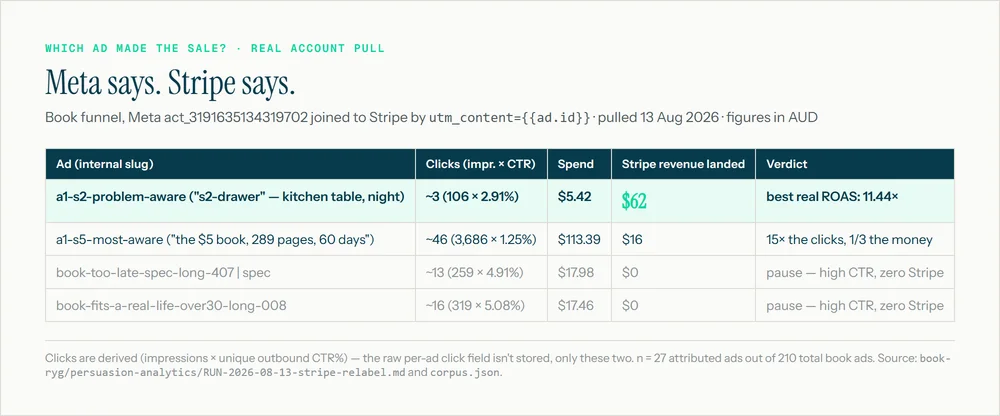
Meta says one ad made the sale. Stripe says another. In about an hour, every payment in your Stripe account will record the ad that sent it, and you get a table of revenue by ad.
I opened Ads Manager one Monday. It said ad 031 was the week's best performer. Good ad. I was about to put more money behind it.
Then I opened Stripe. Payments that week came to less than Meta's figure for that one ad, let alone the whole account.
Meta was not lying. It was counting every sale it could plausibly claim: a click six days earlier, a view the day before, two ads both touching one buyer. Stripe only counts money that arrived.
I spent the afternoon working out which ad had sent each payment. By the end I had a table with one row per ad and one honest revenue figure next to it. Ad 031 was not the top earner. Ad 040, which Meta credited with nothing, had sent payments of its own.
That table is what this guide builds for you, and it keeps building itself every week.
Meta attributes a purchase to any ad a buyer clicked in the last 7 days or saw in the last day. Two ads can both claim the same sale. A sale with no ad at all can be claimed by an ad the buyer scrolled past.
Stripe records one payment, once, with whatever data you attach to it. Attach the ad id and you have an attribution system that cannot double count, because a dollar only arrives once.
This guide attaches the ad id.
Nothing changes about your ads or your checkout. You add a tag to the link, pass it through, and read it back out of Stripe.
You sell through a Stripe Payment Link or a buy button. The guide shows where to put the tag in the link so Stripe stores it on the payment. Nothing to install.
You have a custom checkout or a site you control. You paste the metadata snippet and a prompt into Claude Code and it wires the tag through your checkout session.
Plus the guide itself: 6 pages, written for the no-code path first with the Claude Code path at the end. We built it on our own account first.
Open the sheet. Sort by revenue. The ads at the top get more budget. The ads with payments at zero get paused, whatever Ads Manager says about them.
After four weeks you have a month of per-ad revenue you can trust, which is the input for every other decision in the account: what creative to make next, what to say to a new audience, what an ad is worth.
This is step 1 of the sixty. It is the one the other fifty-nine are measured against.
Most agencies run the ads and rent everything else. Sixty Steps builds all sixty as real development on the client's own domain, then reports every week against what settled in Stripe.
These ten tools are the steps you can set up yourself in an afternoon. This one is the first, because every later step is measured against it.

I built analytics models for banks and miners before this. The habit that stuck is not trusting a dashboard that grades its own work. Meta reports what it thinks it drove. Stripe reports what arrived. This guide gets you the second number.
Dear reader,
If you have read this far, you have probably already decided whether $4.95 is a risk worth taking. It is not much of one. So the rest of this page is not about the guide. It is about who is selling it to you, and why we bother selling a five-dollar guide at all.
We are an analytics firm that got into Meta ads by accident, found that nobody was measuring them properly, and started fixing that one step at a time. This guide is step one.
My name is Ryan Richardson. For 6 years I built analytics models for banks and mining companies through a firm called Onwards Analytics. The brief was always the same: two systems that should agree do not, and someone senior needs to know which one to trust before the Monday meeting.
I had run Meta ads on and off for about five years. Once we ran them for our own offers, I was staring at the same problem I had been paid to solve for years, except now the two systems were Ads Manager and Stripe, and the person who needed to know was me.
So I did what I had always done. I traced every step between a stranger seeing an ad and a payment settling in Stripe, and wrote each one down. There were sixty. That list became a book called The Book Is the Funnel, and then a business called Sixty Steps that builds those steps for other people.
Three rules. We apply them to our own account before anyone else's.
Stripe is the scoreboard. Every report, decision and invoice is measured against money that settled. Platform dashboards are inputs. If a number on one of our pages cannot be traced to Stripe, it is marked as reasoning.
Everything lives on your domain, in your name. Pages, checkout, email and tracking are real code you own. There is no page-builder licence, and nothing stops working if you stop working with us.
We use it before we sell it. Every template in this guide is the one we open on our own account each Monday, with our values swapped for brackets. If it stopped working for us, it would come off this page.
That is also why the guide is $4.95. We are not trying to make money on it. We are trying to get the first honest number into your Stripe account, because every conversation we have after that gets easier.
Each tool is one step from the book, packaged as the exact files we use: a template, a sheet, a script outline or a prompt, plus a short guide. They cost between $4.95 and $27. There is no software to subscribe to and nothing that phones home.
Three of them measure. This one tags each payment with its ad. A weekly review joins those tags to Meta results and tells you what to make next. A six-lever diagnostic scores your whole funnel and finds the weak one.
Two of them screen. A three-gate scoring sheet judges an ad before it costs money. A blind panel of AI buyers scores the same ad independently and reaches a consensus.
Two of them research. One maps how your top 10 rivals look and where the empty space is. One pulls any competitor's ads and ranks them by how long they have run.
Three of them build. 40 ads uploaded from one spreadsheet. A landing page that tests its own variants against purchases. A pipeline that produces 20 scored offers in an afternoon.
None of them replaces the other fifty steps. Each one makes one step faster, or makes one number honest. This page sells the first, because the other nine are measured against it.
The files arrive by email within a few minutes. You open the guide, pick the no-code path or the Claude Code path, and follow it. By your next Monday you have a table of revenue by ad that came from Stripe.
Then nothing happens. There is no onboarding sequence, no upsell call, no countdown. If you want the other tools you will find them on the site. If you want us to build the other fifty-seven steps for you, the site explains how that works and what it costs, and it starts with a free teardown that might say no.
If the guide does not do what this page says, reply to the receipt email and say so, any time in the first 60 days. You will get your $4.95 back and I will want to know what went wrong.
P.S. If you only take one thing from this page, take the idea rather than the guide: a dollar only arrives once, so attach the ad id to the dollar. Everything else here is just the fastest way we know to do that.